

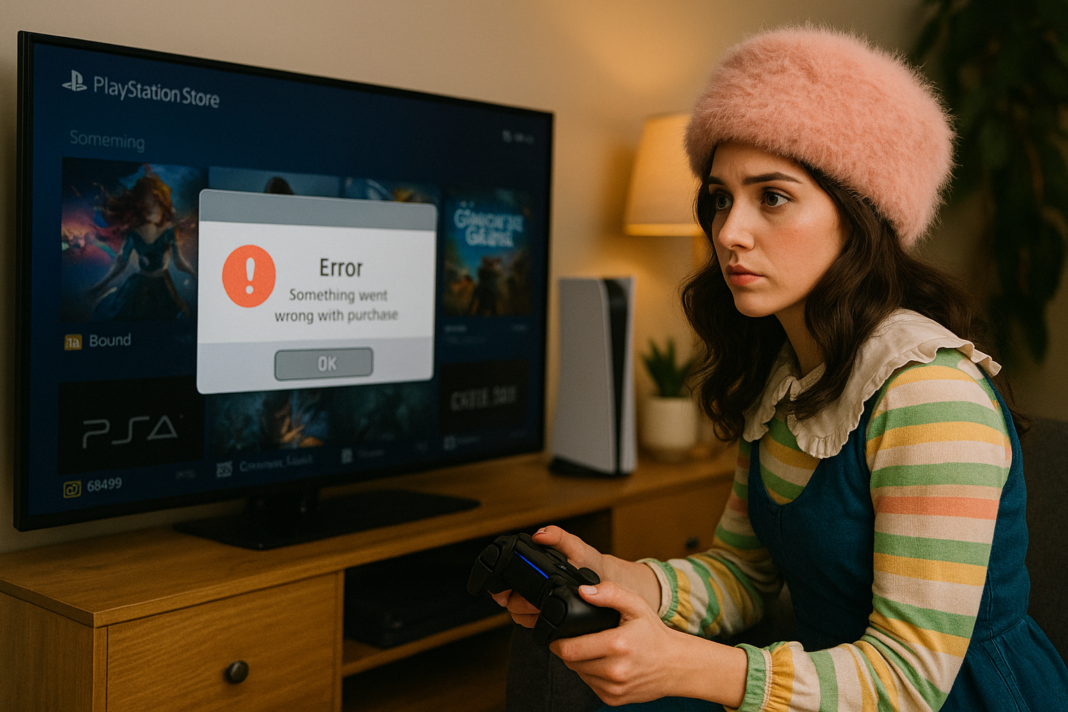
🛒 PlayStation Store Errors: Purchase Problems (Ultimate 2025 Fix Guide)
There are few gaming frustrations quite like sitting down after a long day, excited to buy a new game, DLC, skin pack, or subscription upgrade, only for the PlayStation Store to smack you with a cryptic purchase error 😭🔥. Maybe it’s “An error has occurred,” “WC-40365-8,” “E-8210604A,” “Payment failed,” “Card information invalid,” “Add funds error,” “Cannot process your request,” or the ever-mysterious “Something went wrong.” Sometimes the transaction fails instantly, sometimes it loads forever, sometimes your payment method disappears entirely, and sometimes the purchase goes through but the content never appears on your console.
The worst part? You KNOW your card works, your bank is fine, and everything should be simple — yet the Store refuses to cooperate. The good news is that PlayStation purchase errors almost always trace back to very predictable causes: payment verification issues, address mismatches, local region restrictions, outdated account info, wallet limitations, or system-side outages. This guide breaks down every major PS Store purchase error, their true causes, and the reliable fixes, all written in a friendly, gamer-first style that blends expertise with a conversational tone 😊🎮.
⭐ Definition: What Are PlayStation Store Purchase Errors?
PlayStation Store purchase errors occur when the system cannot validate or process a financial transaction, which usually involves:
• verifying credit/debit card information
• validating your account region
• checking bank authorization
• confirming wallet balance or subscription status
• contacting Sony’s billing servers
• syncing licenses with your console
• matching billing address formats
If any part of this chain breaks, PlayStation blocks the transaction for security reasons.
⭐ Why Purchase Problems Matter for Gamers
Purchase issues prevent you from:
• buying new games
• downloading DLC packs
• subscribing to PlayStation Plus
• renewing subscriptions
• buying in-game currency
• redeeming gift cards
• upgrading to PS Plus Extra/Premium
• accessing cross-region content
• unlocking pre-orders
• activating season passes
For many players, purchase issues appear at the worst possible time — during a sale, before a weekend session, or right before an event ends.
⭐ Most Common Causes of PlayStation Store Purchase Errors
1️⃣ Incorrect billing address
Even a small mismatch (like “Street” vs “St.”) can cause denial.
2️⃣ Card issuer security blocks
Banks stop “suspicious” digital purchases frequently.
3️⃣ Regional mismatches
Your PSN region and your physical card region must match.
4️⃣ Outdated or expired payment methods
Expired dates, old CVV codes, and outdated details trigger automatic rejections.
5️⃣ Insufficient funds
Even small holds (like $1 verification charges) can cause failure.
6️⃣ PlayStation server outages
During sales events, server load skyrockets.
7️⃣ Wallet limitations
PSN wallets have maximum balances depending on the country.
8️⃣ Suspicious activity lock
Too many failed attempts trigger temporary restrictions.
9️⃣ Parental controls or spending limits
Child accounts cannot perform unrestricted purchases.
🔟 Network or console login glitches
Local cache problems lead to license syncing failures.
⭐ Table: Error Code vs Likely Cause
| Error Code | Likely Cause | Explanation |
|---|---|---|
| E-8210604A | Payment failed | Card issuer declined |
| WC-40365-8 | Add funds error | Region mismatch or bank block |
| NP-37602-8 | PS Store unavailable | Server outage |
| E-8200002E | Invalid card info | Incorrect billing details |
| E-82000102 | Wallet error | Payment method cannot be added |
| E-8210604C | Subscription renewal failed | Expired card or insufficient funds |
| “Something went wrong” | Network or cache issue | Payment interrupted |
⭐ Full Fix Guide: How to Solve PlayStation Store Purchase Problems
1. Re-enter your billing information VERY carefully
Go to:
Settings → Users and Accounts → Payment and Subscriptions → Payment Methods
Make sure:
• address matches bank statement
• postal code is exact
• name matches your card
• no abbreviations unless used by your bank
PlayStation is extremely strict about address mismatches.
2. Contact your bank or enable international digital purchases
Banks often block PS Store transactions by default.
Call your bank and ask:
“Please allow digital purchases from Sony Interactive Entertainment.”
This instantly solves many WC and E-series errors.
3. Use the PlayStation Store via a browser
The web version often processes payments that fail on the console.
4. Add funds to your wallet BEFORE buying
Instead of purchasing the item directly, try:
Add Funds → Select Amount → Proceed to checkout
Many players bypass errors this way.
5. Enable 3D Secure / Verified by Visa / Mastercard SecureCode
Sony requires 3D-secure authentication for many regions.
Enable it through your bank’s app or website.
6. Remove and re-add your payment method
Old verification tokens sometimes cause purchase denial.
7. Try a different card or PayPal
PayPal is often more stable than direct card processing.
8. Check PlayStation Network server status
If servers are down, no purchase method will work.
https://status.playstation.com
9. Renew PlayStation Plus manually (for subscription failures)
If auto-renew fails:
• remove payment method
• re-add it
• purchase PS Plus manually from the Store
10. Try purchasing in Offline Mode + Online Reconnect
This refreshes token authentication.
11. Logout and login again
Sometimes your account session becomes outdated.
12. Rebuild PS4/PS5 database
Fixes local license and wallet inconsistencies.
PS5: Power off → Hold power → Safe Mode → Rebuild Database
13. Clear console cache
Unplug your console for 2 minutes → restart.
14. Ensure your PSN Region matches your payment region
If your PSN region is US but your card is EU, it will not work.
Use PSN wallet cards instead.
⭐ Advanced Solutions
For players using prepaid cards
Ensure:
• currency matches PSN region
• card value doesn’t exceed wallet limits
• no spaces during code entry
For subscription issues
Disable auto-renew → switch to manual purchase.
For cross-region play
Buy regional gift cards matching your PSN account region.
For frequent failures
Wait 24 hours — temporary locks are common after many failed attempts.
⭐ Real-Life Examples
Example 1: WC-40365-8 While Adding Funds
Cause: address mismatch.
Fix: corrected apartment number → payment instantly succeeded.
Example 2: E-8210604A During PS Plus Renewal
Cause: expired card.
Fix: updated expiration date.
Example 3: “Cannot Process Payment” During Sale
Cause: server overload.
Fix: used website version → worked first try.
Example 4: Payment Works on Browser, Not Console
Cause: corrupted cache.
Fix: logout → restart → login again.
⭐ Anecdote: The Sale-Day Curse
Every year when the Summer Sale hits, my friend tries to buy five discounted games, and without fail, the Store rejects his payment with vague error codes. He blames Sony, his bank, the weather, the moon, and even Mercury retrograde 😅.
After digging in, we discovered he spelled his street name incorrectly by one letter on his billing form — and the bank kept rejecting it as “fraud risk.”
He corrected the spelling.
Every purchase worked instantly.
Sometimes the universe isn’t against you… your address formatting is.
⭐ Metaphor: The PlayStation Store Is Like an Airport Gate ✈️
A gate agent checks your ID, passport, boarding pass, luggage tag, and even your face before allowing you through.
If ANY detail doesn’t match, the gate stops you.
The PlayStation Store behaves the same way — ultra-strict validation ensures secure digital purchases.
⭐ Diagram: How a Purchase Request Works
Payment Input → Billing Verification → Bank Authorization → PSN Token Check → License Creation → Game Unlock
                                                      ↑
                                      Failure here triggers most purchase errors
⭐ Conclusion
PlayStation Store purchase errors happen due to mismatched billing details, payment method restrictions, regional differences, outdated information, bank security blocks, server outages, wallet limitations, and corrupted account cache, but with careful validation, updated card details, correct regional settings, wallet funding, PayPal alternatives, database rebuilds, and secure authentication, you can fix nearly all purchase failures and return to enjoying your games without interruption 🛒🎮.
Once you understand the transaction chain, troubleshooting becomes simple and painless.
❓ 10 Specific, Niche FAQs About PlayStation Store Purchase Errors
1. Why does my card work everywhere except PlayStation Store?
Sony uses stricter verification than most merchants.
2. Why do purchase errors happen during PlayStation sales?
Server overload affects billing authentication.
3. Why does my bank approve the charge but PlayStation rejects it?
Soft authorization ≠ full transaction approval.
4. Why does PS Plus fail auto-renew but manual payment works?
Auto-renew uses cached card tokens.
5. Why do gift cards sometimes fail to redeem?
Region mismatch or wallet limit reached.
6. Why did my payment method disappear from my account?
Temporary lock after multiple failed attempts.
7. Why do prepaid cards fail more often?
Some banks block online gaming store transactions.
8. Why can’t I buy games from a different region?
PS Store is region-locked, and cards must match.
9. Why does PS5 process payments slower than PS4?
Different security layers and authentication tokens.
10. Why does adding funds succeed but direct purchase fails?
The Add Funds flow uses a different verification pathway.
🤔 People Also Asked
1. Why does the PlayStation Store randomly sign me out during purchase attempts?
Session token mismatch or server delay.
2. Why do PS5 and PS4 sometimes show different error messages for the same issue?
Different user interface layers and billing APIs.
3. Why does PayPal work when credit cards don’t?
PayPal handles authentication independently.
4. Why do purchases fail more often on Wi-Fi?
Network instability during bank verification.
5. Why does PlayStation place a $1 charge on my bank statement?
It’s a standard payment authorization test.
You should also read these…
- tugmen.com – sustainable foam production innovations in eco fri
- closedad.com – tiktok friend matching errors and solving methods
- huesly.com – twitter x monetization subscriptions not enabled p
- tugmen.com – tiktok comment block reasons and fix
- toojet.com – gluten free snack ideas for office breaks
- axtly.com – how to stand out in entry level job interviews
- huesly.com – tiktok storage issues on phone
- axtly.com – customized industrial shelving systems for every n
- noepic.com – how to learn basic phrases before visiting a new c
- huesly.com – tiktok uploading slowly video sharing issues
