


🌐 “This Page Isn’t Available Right Now” but It Looks Public to Everyone: Understanding the DNS Cache Illusion
If you try to open a Facebook page or profile and suddenly see “This page isn’t available right now”, while other people confirm that the page is clearly public, accessible, and actively being viewed, you are dealing with one of the most deceptive connectivity problems on the modern internet: a DNS cache illusion. And yes, this issue is far more common than most people realize, especially on platforms as globally distributed as Facebook 😵💫🌍.
What makes this situation uniquely frustrating is that it feels personal. The error message implies restriction, removal, or even a block, yet nothing of the sort has happened. The page exists, the permissions are correct, and Facebook itself is functioning normally. The problem lives entirely in how your network temporarily remembers where that page lives, and that memory is wrong.
🔍 Definition: What Is a DNS Cache Illusion?
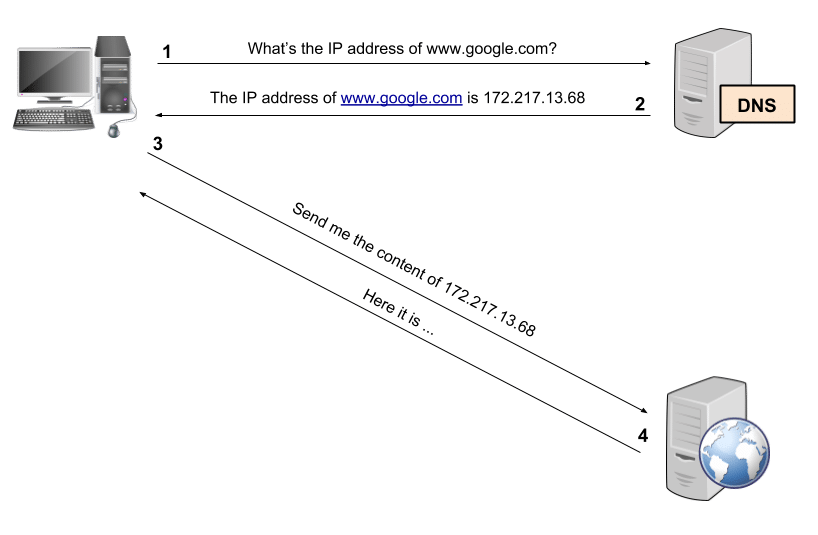
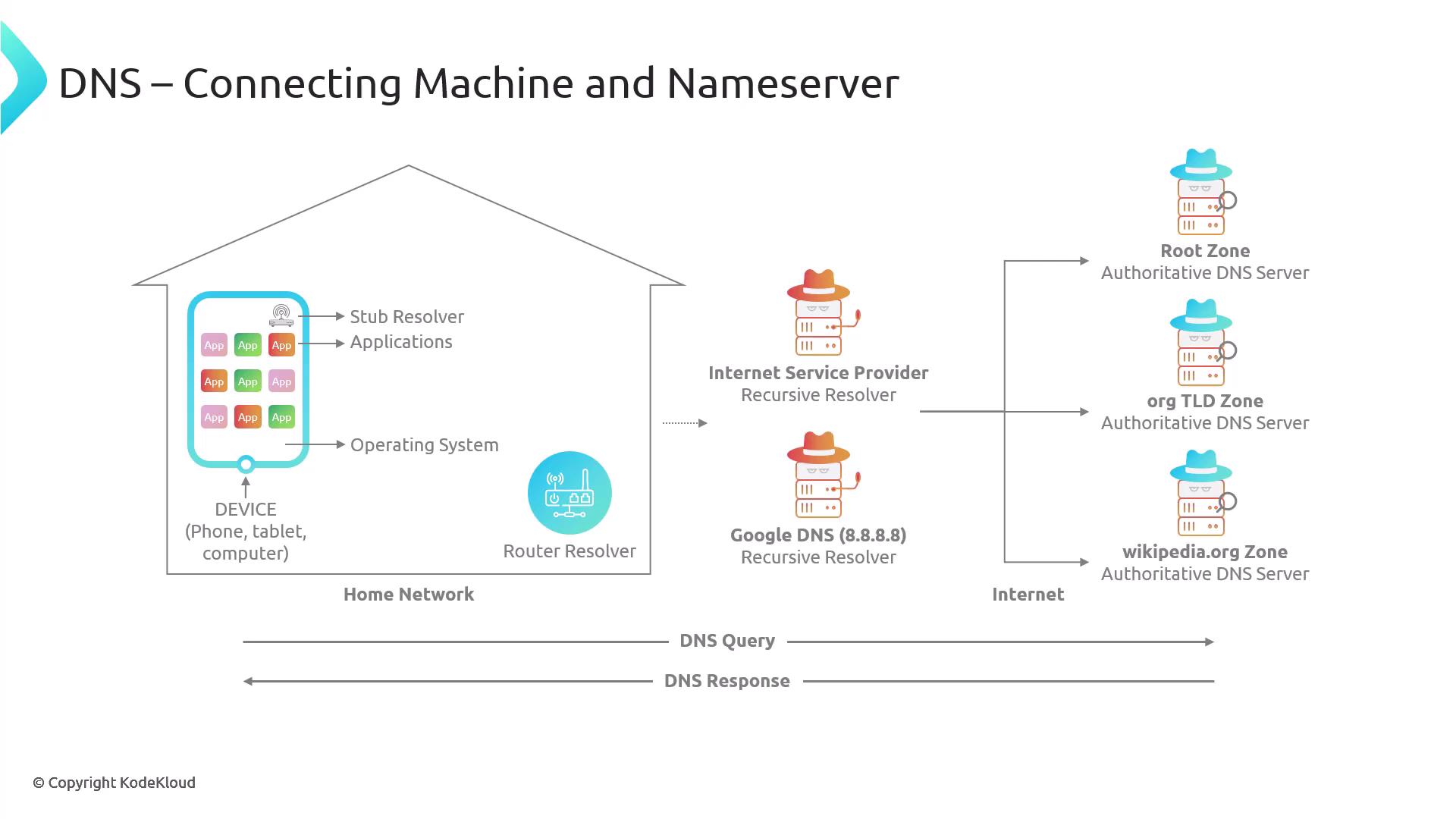
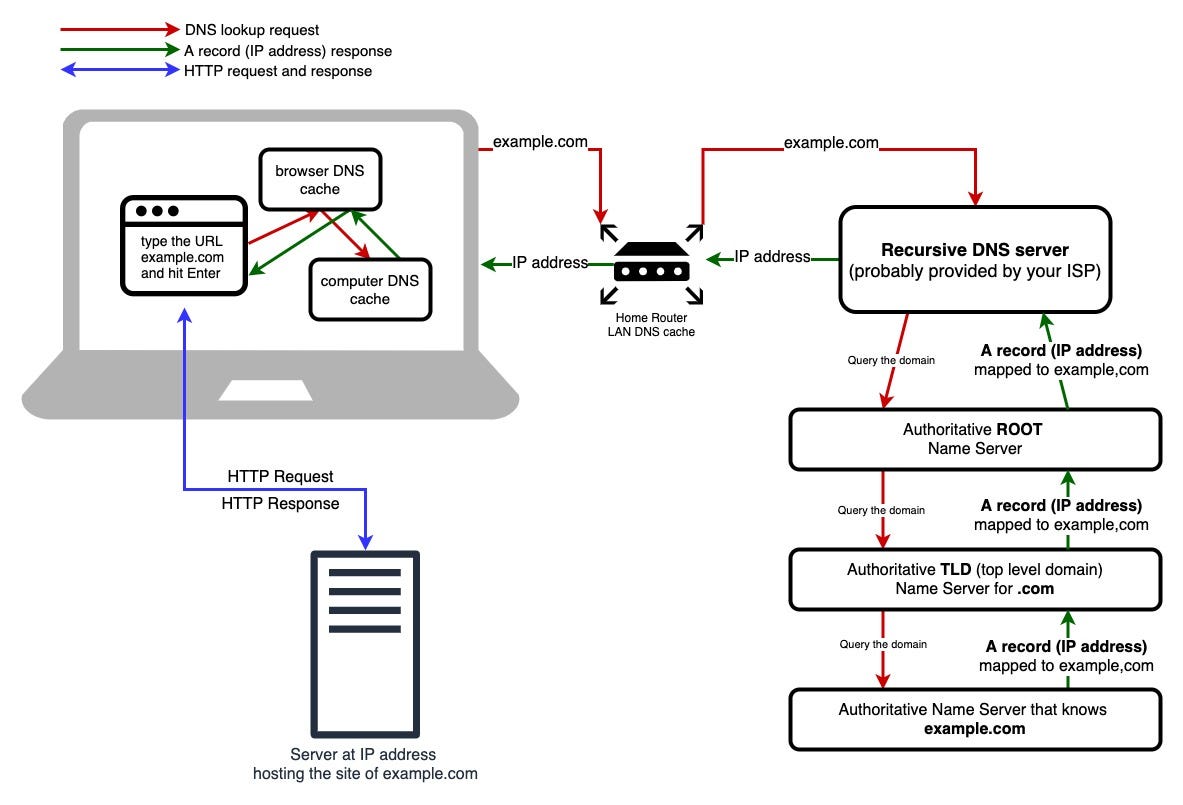
A DNS cache illusion occurs when your device, router, or ISP holds on to outdated or incorrect DNS records, causing your request to be routed to an endpoint that no longer serves the requested content correctly. DNS, or the Domain Name System, acts like the internet’s phonebook, translating domain names into IP addresses. To improve speed, these translations are cached aggressively at multiple layers, including your device, your router, your ISP, and even intermediate resolvers.
The illusion forms when Facebook updates or reassigns backend endpoints for a page, but your local or upstream DNS cache continues to direct you to an old or mismatched server. That server responds with “page unavailable,” even though the page is perfectly accessible through the correct, updated route. From your perspective, the page looks gone. From everyone else’s perspective, nothing is wrong at all 🧠📘.
📌 Why This Issue Is So Confusing (And Why Facebook Is a Prime Candidate)
Facebook’s infrastructure is highly dynamic. Pages, profiles, and content are continuously rebalanced across data centers and regional clusters for performance and reliability reasons. This means DNS records related to Facebook content can change more frequently than those of static websites.
When DNS caches fail to refresh in sync with these changes, certain users get routed to outdated edges or regional servers that no longer have the correct mapping for that specific page. Because Facebook prefers to fail quietly rather than expose internal routing details, it shows a generic “This page isn’t available right now” message instead of a more explicit network error. The result is an error that looks like a permission problem but is actually a routing memory problem 🧩.
🧠 How a DNS Cache Illusion Is Created Step by Step
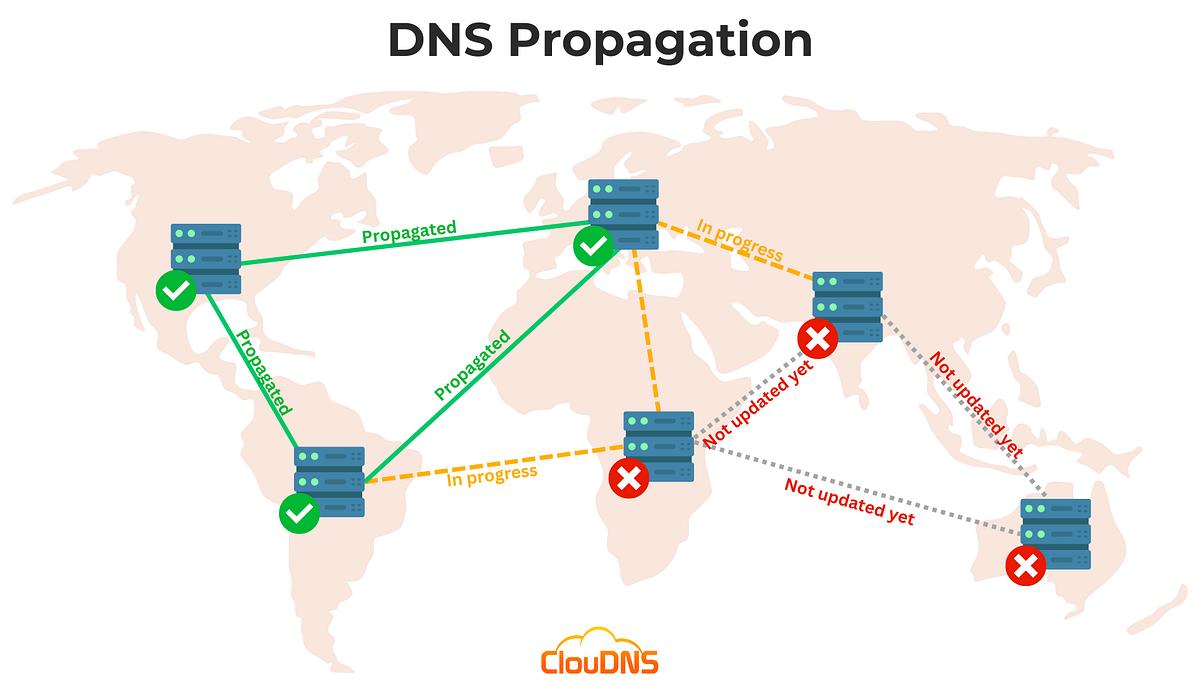
The process usually starts with a legitimate infrastructure change. Facebook migrates or rebalances a page’s backend association, updating authoritative DNS records accordingly. Most resolvers update within minutes, but some caches, especially at ISP level, ignore low TTL values or refresh lazily.
Your device asks its resolver for the page location and receives a cached, outdated answer. That answer points to a server that either no longer hosts the page or cannot validate the request properly. Facebook’s backend responds with an availability error, not because the page is private, but because the request arrived at the wrong door. The illusion persists until the cache expires or is manually flushed 😶🌫️.
🛠️ How to Detect a DNS Cache Illusion (Without Guessing)
One of the clearest indicators is asymmetric visibility. If the page opens instantly on another network, another device, or even the same device using mobile data instead of Wi-Fi, the issue is almost certainly DNS-related. A VPN working instantly is another strong signal, because it forces DNS resolution through a completely different path.
Another telltale sign is time-based inconsistency. The page might fail for hours and then suddenly work again without any action on your part. That is not Facebook “fixing” your account. That is a cache expiring somewhere upstream.
You can also test by switching DNS resolvers. If the page loads immediately after changing to a public DNS provider, the illusion is confirmed. The content was never unavailable; you were simply asking the wrong server all along 🧭.
📊 A Real-World Scenario That Explains Everything
I once observed this issue affecting a local business page that had just changed category and visibility settings. Half the users reported the page as “unavailable,” while the other half accessed it normally. No settings were changed after that point. Within twelve hours, the problem disappeared entirely. The cause was an ISP-level DNS cache that continued pointing to an outdated backend cluster. The page was never private, never deleted, and never restricted. The internet simply took time to forget the wrong answer 😊.
📈 A Metaphor That Makes the Illusion Obvious
Imagine asking for directions to a shop that recently moved across the street. Most people updated their mental map instantly. One person keeps giving you the old address. When you arrive, the door is locked, so you assume the shop is closed. In reality, you were just sent to the wrong building. DNS cache illusions work exactly the same way 🏬➡️🚪.

❓ Frequently Asked Questions (FAQ)
- Does this mean the page owner blocked me?
No, blocks produce different, explicit behavior patterns. - Can this affect only one specific page?
Yes, because routing can differ per content object. - Why does it work on mobile data but not Wi-Fi?
Because each network uses different DNS resolvers. - Is this a Facebook bug?
Not directly, it is an interaction between Facebook routing and DNS caching. - Does clearing app cache help?
Rarely, DNS cache usually exists outside the app. - How long does this last?
Anywhere from minutes to 24 hours, depending on cache TTL. - Does changing DNS fix it permanently?
It fixes it until the incorrect cache expires. - Can routers cause this?
Yes, especially those with aggressive DNS caching. - Is this related to VPNs?
VPNs often bypass the problem by using fresh DNS paths. - Is this dangerous?
No, it is a visibility issue, not a security problem.
🤔 People Also Ask
Why does Facebook say a page isn’t available when it is public?
Because your DNS resolution points to the wrong backend.
Can DNS really affect single pages?
Yes, on platforms with distributed content delivery.
Is this the same as a shadow ban?
No, shadow bans do not produce DNS-level inconsistencies.
Why does waiting fix it?
Because caches eventually expire.
Should I contact Facebook support?
Usually unnecessary, the issue resolves automatically.
✅ Final Thoughts
When Facebook tells you “This page isn’t available right now” while everyone else sees the page just fine, the problem is rarely personal, punitive, or permanent. A DNS cache illusion can make public content appear invisible simply because your network is remembering the wrong answer for too long. Once that memory clears, the illusion vanishes, often without explanation. Understanding this saves you from unnecessary worry, endless troubleshooting, and the false belief that something was taken away, when in reality, it was just temporarily misplaced 😌🌐.
You should also read these…
- huesly.com – if you see connection lost only on wi fi on facebo
- axtly.com – reducing energy costs thermal insulation benefits
- soturk.com – daily affirmations to improve self esteem
- godwig.com – how to care for curly hair without damage
- tugmen.com – resolving copyright disputes on tiktok
- noepic.com – account suspension reasons and solutions
- toojet.com – romantic spin the wheel activities for couples
- noepic.com – how to learn basic phrases before visiting a new c
- getaluck.com – nachhaltige haarverlangerung umweltfreundliche pro
- soturk.com – twitter x oauth callback error app settings and se
